Adaptive Cruise Control Symbols and Warning Lights Explained
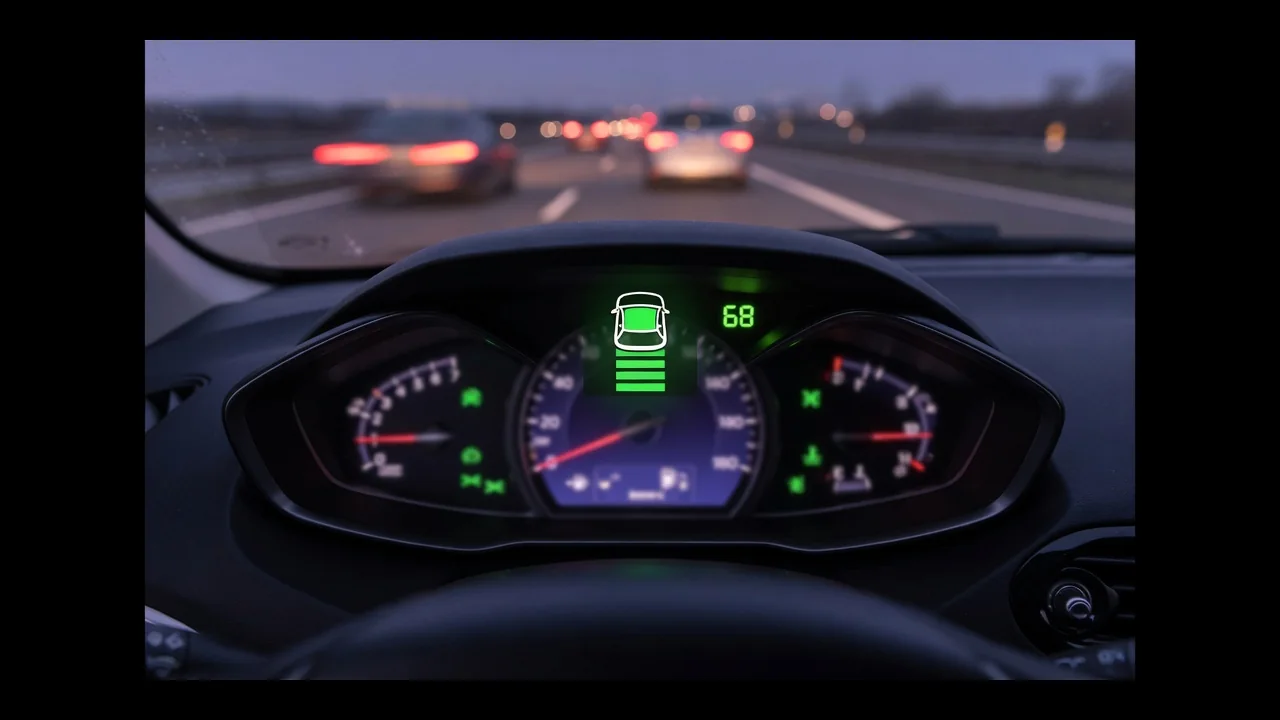
The adaptive cruise control symbol on your instrument cluster tells you more than whether the feature is switched on. Its shape, its color and any message that appears with it show whether radar cruise control is ready, following traffic or unavailable. Knowing what those signals mean, and how the system handles brake lights and red lights, helps you use this driver assistance feature well and spot when something needs attention.
What the Adaptive Cruise Control Symbol Looks Like on the Dashboard
Most automakers build the adaptive cruise control symbol from a few familiar elements, though no single icon is universal. Many show a speedometer or steering-wheel-style gauge, sometimes with an arrow, next to a small vehicle silhouette ahead and a stack of horizontal bars. Those gap setting bars usually show the following distance setting you chose, such as near, medium or far. They are not a live measurement of the space to the car in front. Fewer bars typically means a shorter gap, and the display changes each time you press the distance button.
Color often shows status. A white or gray instrument cluster indicator commonly means standby, green often means active and amber may signal a fault, but each manufacturer sets its own scheme. The adaptive cruise control light also differs from the standard cruise control light, which usually has no vehicle silhouette or gap bars. Forward collision warning icons can look similar because they also show a car ahead, often with a crash or wave graphic. The owner's manual for your exact make, model and year is the reliable guide to every symbol and color.
What an Adaptive Cruise Control Warning Light or Message Means
A normal status indicator just confirms what the system is doing. An adaptive cruise control warning light is meant to get your attention. Warnings often appear as an amber version of the icon, a crossed-out symbol, or text such as a system unavailable message or sensor blocked message. These usually mean the front radar sensor or windshield camera cannot see well enough to track traffic. Heavy rain, snow, fog, low sun glare, road grime, ice or bugs on the sensor area can all switch the feature off for a while.
Many weather-related warnings clear once conditions improve, the sensor area is cleaned or the vehicle is restarted. If a warning stays on in clear weather with a clean sensor area, there is probably a fault worth investigating. Because wording and behavior differ by manufacturer, check the owner's manual before deciding what a message means. While any warning is showing, treat adaptive cruise as unavailable. Also assume that features sharing the same sensors, such as forward collision warning or automatic emergency braking, may be limited or off.
Does Adaptive Cruise Control Turn On the Brake Lights?
Does adaptive cruise control use brake lights? When the system applies the friction brakes to slow for traffic, it is generally designed to turn on the brake lights so drivers behind are warned, just as if you pressed the pedal. Not all slowing uses the brakes, though. For gentle speed reductions, the system often eases off the throttle and lets the car coast or use engine braking, so the brake lights may stay off. On hybrids and EVs, whether regenerative slowing turns on the brake lights varies by vehicle.
So a driver following you may see your car slow gradually without any brake lights, and that alone does not mean anything is wrong. To check that the lamps work, do it while parked. Have a helper watch from behind as you press the pedal, or look for the reflection in a garage door or shop window. Never test on public roads in traffic. If the brake lights fail during normal pedal braking, have the vehicle inspected promptly. A bad bulb, wiring fault or brake light switch is a separate safety problem.
Does Adaptive Cruise Control Stop at Red Lights?
Does adaptive cruise control stop at red lights? In most vehicles, no. Typical systems use radar and camera data to track vehicles ahead. They do not respond to traffic signals, stop signs or road markings. If a car in front is already stopped at a light, a system that supports stop-and-go traffic may slow you down and stop behind it. With no vehicle ahead, though, it will keep your set speed straight through a red light. That is why relying on it at intersections is dangerous.
Some newer vehicles add traffic-sign or signal recognition, and a few can alert the driver or adjust speed near intersections. Availability and behavior vary widely by brand, model year and trim, so check your own vehicle's documentation instead of assuming it will react to a signal. Even with those features, the driver is always responsible for stopping at signals and intersections. Adaptive cruise is designed mainly for highway-style driving where traffic flows steadily. It works best for easing the workload on long trips, not as a replacement for watching the road.
Common Reasons Adaptive Cruise Control Shuts Off or Refuses to Engage
Sometimes adaptive cruise shuts off or refuses to engage simply because a normal operating condition is not met. Depending on the vehicle, it may need a minimum speed before it can be set, may have a maximum set speed, or may need the transmission in drive. Some systems will not engage with a door open, the driver's seatbelt unbuckled or the parking brake on. Settings matter too. On some vehicles, turning off traction or stability control, or disabling certain driver-assist features in the menu, also makes adaptive cruise unavailable.
Sensor visibility is the other common cause. The radar sensor often sits behind the grille emblem or lower bumper, and the camera usually sits near the top of the windshield, so mud, ice, snow or a dirty windshield can block them. You can safely clean the sensor area gently, clear the glass in front of the camera and confirm the feature is turned on in the vehicle settings. Avoid aftermarket plate frames, grille covers, stickers or tint over sensor areas, since these can interfere with detection.
When an Adaptive Cruise Control Warning Needs Professional Diagnosis
If the warning stays on in clear weather, with clean sensors and the feature turned on, guessing is unlikely to fix it. The next step is diagnosis with a scan tool. Any stored fault codes have meanings specific to the manufacturer, so a technician must check them against the correct service information for that vehicle. A code is evidence pointing toward a circuit, sensor or communication issue, not proof that a part has failed. Wiring, connector, software or calibration problems can trigger the same warning as a failed sensor.
Sensor calibration may be needed after a minor front-end impact, a bumper or grille repair, or a windshield replacement, because even a small shift in aim changes what the system sees. This is specialized work that uses alignment targets and set procedures, so do not try to adjust, remove or realign radar or camera sensors yourself. A misaligned sensor can make the system brake unexpectedly or miss vehicles. Before your appointment, note when the warning appears, the weather, your speed and the exact message wording to help a technician find the cause faster.